Tools
Tools is a small section of the navigation holding capabilities that come from other products rather than from Dead Simple Auto itself. They are grouped apart on purpose: they ship on their own release cycles, and a tool being absent never stops the rest of the app working.
Today there are two: factory maintenance schedules, and a viewer for workflow designs.
Note: Every tool page reports plainly when its underlying product is not installed on your server. If you see such a message, nothing is broken — that capability simply is not available on your installation, and the rest of DSA is unaffected.
Maintenance schedules
Tools → Maintenance schedules answers one question: what does the manufacturer say this car needs, and how often?
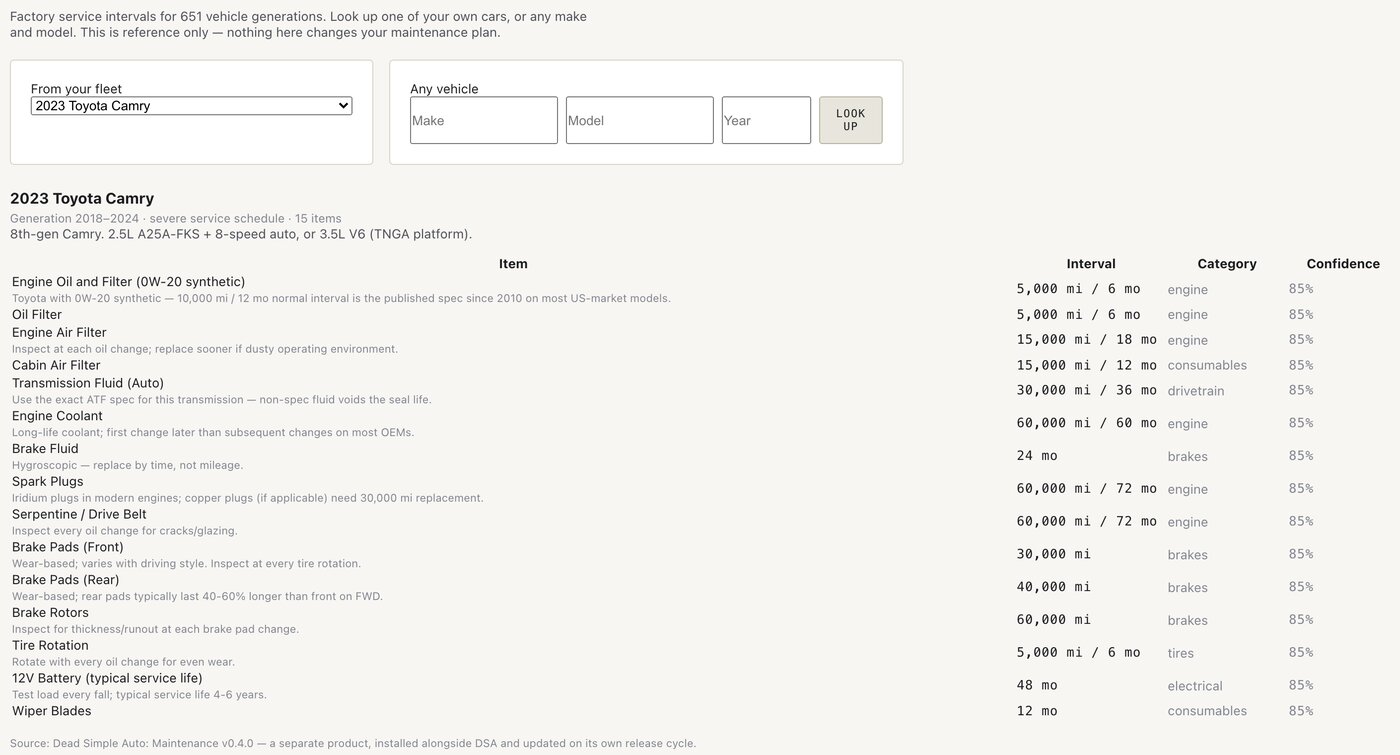
There are two ways in, side by side at the top of the page.
From your fleet lists every vehicle you own that has a make, model and year recorded. Pick one and the schedule appears underneath. If a vehicle is missing from this list, it is missing one of those three fields — add them on its page under Fleet → Vehicles and it will appear.
Any vehicle takes a make, model and year directly, for a car you are thinking about buying, one a customer has asked about, or anything not in your fleet. Coverage runs to several hundred models across the common US and European market, roughly 2013 onward.
Reading the result
Each row is one service item with the interval expressed in both distance and time — “5,000 mi / 6 mo” means whichever comes first. Items are tagged by category (engine, brakes, drivetrain, tyres, electrical, consumables) so you can see at a glance where the work clusters.
The confidence column is worth understanding. The schedules are assembled from manufacturer sources, and the figure is the source library’s own assessment of how firmly it holds that interval. It is shown rather than hidden because a number you cannot audit is worse than a number with a caveat attached. Treat a lower confidence as a prompt to check the owner’s manual for that specific item, not as a reason to distrust the whole schedule.
Some rows carry a note — that the interval assumes a particular oil grade, say, or that a part is wear-based and should be inspected rather than replaced on a clock. Those notes are where the real judgement lives; read them before planning work.
What this page does not do
It does not change anything. Looking up a schedule creates no maintenance records, no jobs, and no alerts. This is deliberate: a factory schedule is a reference, and turning one into work you have committed to is a decision you make on the Fleet → Maintenance page, where you set the intervals you actually intend to follow.
Your own schedules can differ from the factory’s, and often should — a rental fleet runs harder than the manufacturer’s “normal” assumption. Several manufacturers publish a severe schedule for exactly this case, and where one exists it is what this tool shows.
Workflow designer
Tools → Workflow designer draws the workflow designs you have imported into DSA as the graphs they actually are.
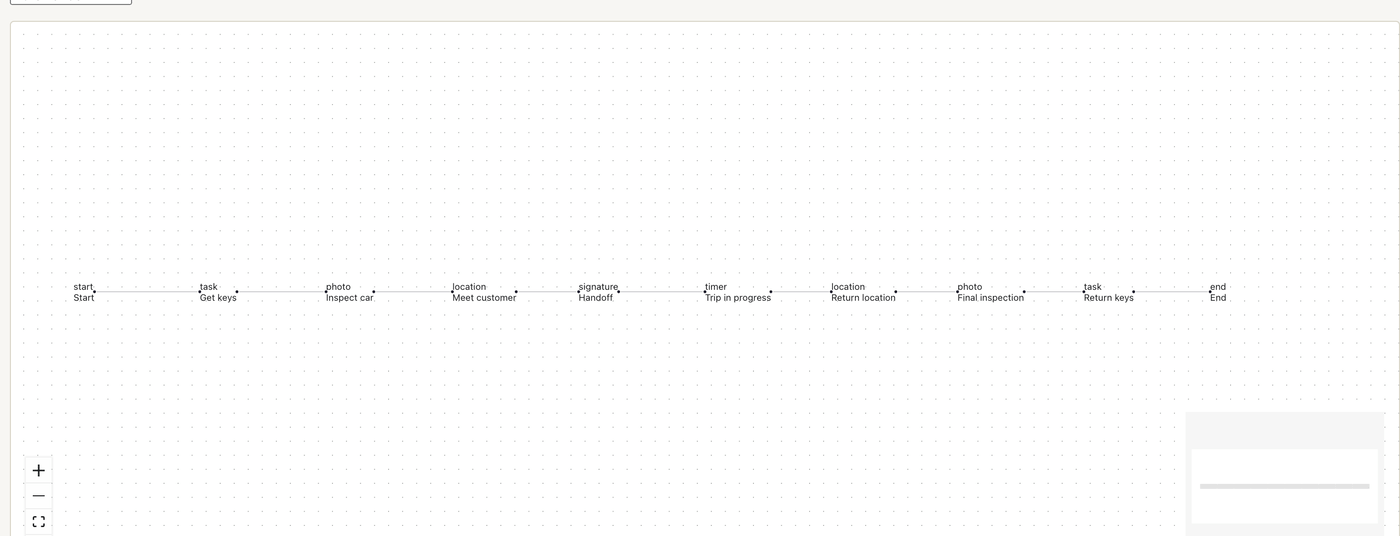
DSA runs a job as a straight list of phases — first this, then that, then the next thing. Designs, though, are authored as graphs, and a graph can branch. The Workflows page under Setup shows you the linear phase list DSA will actually run; this page shows you the original design it came from, including any branching that list could not express.
Pick a design from the dropdown to draw it. You can pan and zoom; the minimap in the corner helps on larger designs.
This is a viewer, not an editor. Designs are authored in Dead Simple Jobs and imported into DSA on the Setup → Workflows page — see the Administration chapter. If a design here does not match what your crews are doing, the fix is to change it at the source and re-import, so the design and the job stay in step.
Note: Designs imported before DSA began keeping the original design file will say so instead of drawing. Re-import them and the graph appears.
Why these are separate products
Both tools come from products built and released independently of DSA: maintenance schedules from a dedicated schedule library, and the workflow viewer from the designer that authors the designs in the first place.
This matters to you in two practical ways. They update on their own schedule — a new tool version can arrive without a DSA release, and a DSA release does not necessarily change them. And they can be absent: an installation without them loses those two pages and nothing else. No rental, job, vehicle, or money feature depends on either one.